Atmo 3D wind: five new guides, and Atmo for the Era you already fly
Atmo measures the wind in three dimensions — with no compass and no second antenna. Five new knowledge-base guides explain how it works, how to switch it on and how to fly with it.
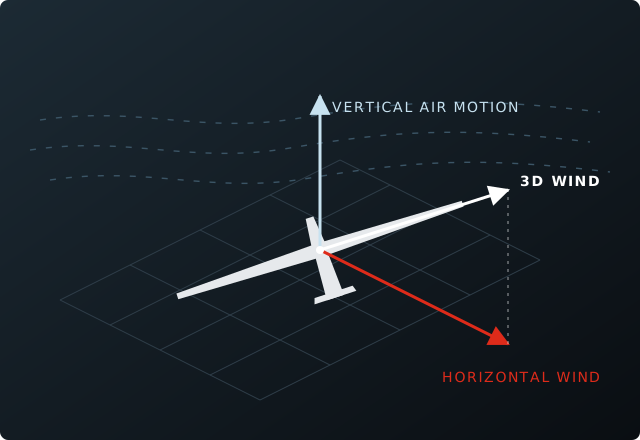
Atmo is the wind and vario engine in the Era. It solves the wind triangle in three dimensions — direction, speed and the vertical motion of the air — a hundred times a second, with no compass to calibrate and no second GNSS antenna to install. Today we are publishing the guides that go with it.
Five guides in the knowledge base
- What Atmo measures and how it works — the wind triangle in three dimensions, heading without a compass, what it learns in flight and where its limits are.
- Activating Atmo on your Era — which instruments run it, buying the licence with your serial number, loading it and the restart that switches it on.
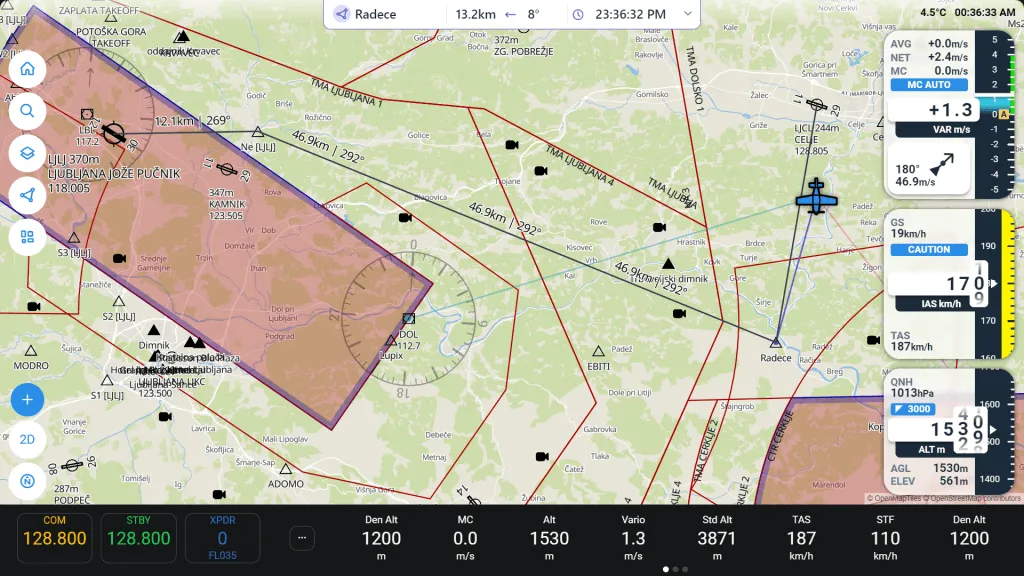
- Flying with Atmo — the Wind page with its current and average wind, and the smart vario on a needle, in a navbox and in your headset.
- Calibration and troubleshooting — what Atmo calibrates by itself, the level reference it takes from you, and the questions pilots ask after their first flights.
- Second seat, NMEA and your own software — how Atmo reaches a second-seat instrument, and the two sentences that carry it to flight apps.
For the Era you already fly
Every Era carries the motion sensors Atmo needs. On the Era 57 Gen 2 Atmo is enabled from the factory; on a first-generation Era 80, Era 57 or Era essential, a licence made for the serial number of your instrument switches it on. There is nothing to install in the panel and nothing to send in.
Atmo is new, and it gets better with every firmware release — the guides will grow with it. If your question is not answered there yet, send it to us.
Stories like this by email — firmware releases, new instruments and show dates, a few times a year.